











































Michael “shroud” Grzesiek is the aim god of Counter-Strike, and his silky-smooth spraydowns still set the standard years after his pro career ended. If you want to copy his setup, we’ve compiled the full breakdown of shroud CS2 settings — from sensitivity and crosshair to video config and gear. Everything here is what he actively uses on stream.

Shroud CS2 Sensitivity & Mouse Settings
Shroud plays on a low-to-medium sensitivity by modern standards. His eDPI sits at 1000, which is a sweet spot for both flick shots and precise long-range control with the awp sniper rifle.
| Setting | Value |
| DPI | 800 |
| In-game Sensitivity | 1.25 |
| eDPI | 1000 |
| Zoom Sensitivity | 1.0 |
| Windows Sensitivity | 6 |
| Mouse Acceleration | Off |
| Raw Input | On |
| Polling Rate | 1000 Hz |
Key takeaway: If you’re switching to shroud’s sens, give it at least a week of aim training before judging it. While his eDPI remains a highly controlled 1000, running at 800 DPI instead of 400 DPI cuts input latency slightly at the hardware level, rewarding smooth, ultra-responsive arm movements.
Shroud CS2 Crosshair
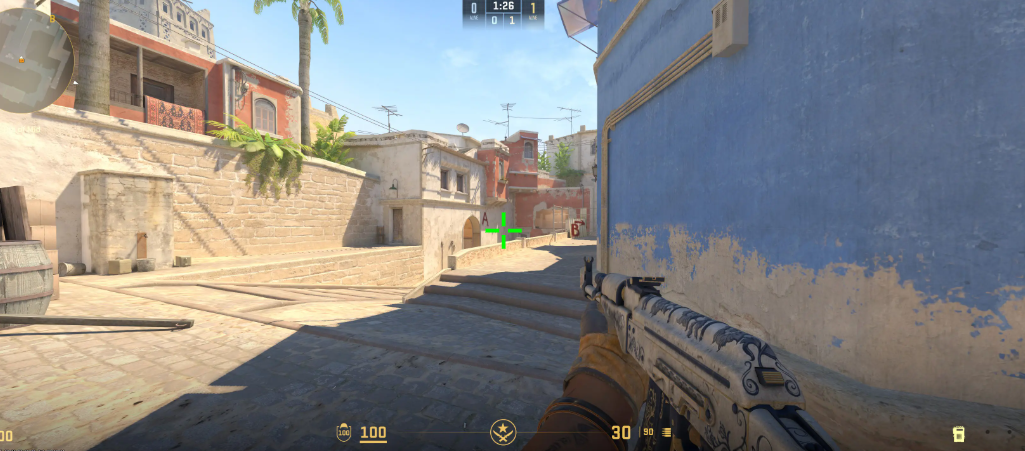
Shroud’s crosshair is a classic small static cyan cross — no dot, no outline, and thin lines that don’t obscure heads at range.
cl_crosshairstyle 4
cl_crosshairsize 3.5

cl_crosshairthickness 1.5

cl_crosshairgap -2.5

cl_crosshair_drawoutline 0

cl_crosshaircolor 4

cl_crosshaircolor_r 0
cl_crosshaircolor_g 255
cl_crosshaircolor_b 255

cl_crosshairdot 0

cl_crosshair_t 0

cl_crosshairalpha 255
Copy-Paste Crosshair Code
CSGO-Edh6j-RrwMz-CEfqX-DH3jz-raJGGWhy it works: Shroud’s updated crosshair is optimized for 1440p (16:9) gameplay. By disabling the outline and pushing the thickness to 1.5, he gets a highly visible, solid cyan reticle that offers clean target tracking at mid-to-long ranges without covering up head models.
Shroud CS2 Viewmodel Settings
Shroud runs the default viewmodel with minor tweaks. He keeps his weapon positioned to feel natural without blocking sightlines through Mid or long angles.
viewmodel_offset_x 2.5
viewmodel_offset_y 1

viewmodel_offset_z -1.5

viewmodel_fov 68
Shroud CS2 Video Settings
Shroud prioritizes frames over eye candy. He runs a 4:3 stretched resolution to make player models appear wider — a classic pro trick for spotting enemies faster.
| Setting | Value |
| Resolution | 2560×1440 |
| Aspect Ratio | 16:9 |
| Display Mode | Fullscreen |
| Scaling Mode | Native |
| Refresh Rate | 240 Hz |
| Boost Player Contrast | Enabled |
| Wait for Vertical Sync | Disabled |
| Multisampling Anti-Aliasing | 8x MSAA |
| Global Shadow Quality | High |
| Model / Texture Detail | High |
| Texture Filtering Mode | Anisotropic 8x |
| Shader Detail | Low |
| Particle Detail | Low |
| Ambient Occlusion | Disabled |
| High Dynamic Range | Performance |
| FidelityFX Super Resolution | Disabled (Highest Quality) |
If you’re chasing framerate on a mid-range PC, this template is a great starting point. For more depth on optimization, check our full CS2 graphics guide.
Shroud CS2 Launch Options
Shroud’s launch options are minimal — he lets the game handle most optimization on its own:
-console -allow_third_party_softwareShroud’s Gaming Gear
The hardware matters too. Shroud has stuck with certain peripherals for years because they simply work for his playstyle.
| Gear | Model |
| Mouse | Logitech G303 Shroud Edition (or G Pro X Superlight 2) |
| Mousepad | Logitech G840 Shroud Edition |
| Keyboard | Logitech G Pro X TKL |
| Headset | Logitech G Pro X 2 Lightspeed |
| Monitor | ASUS ROG Swift OLED PG27AQDM (240Hz / 1440p) |
Key takeaway: Shroud has been a Logitech partner for years — his entire desk is built around low-latency wireless peripherals and a beautiful 1440p OLED display. This provides the perfect combination of professional-grade response times and razor-sharp visual clarity.
Key Binds
Shroud uses standard bindings with a few quality-of-life tweaks:
- Jump: Space + Mouse Wheel Down (bhop bind)
- Walk: Shift
- Crouch: Ctrl
- Use / Bomb: E
- Drop: G
- Inspect Weapon: F
Why Shroud’s Settings Work
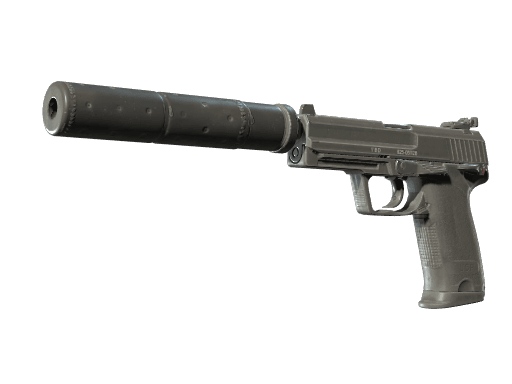
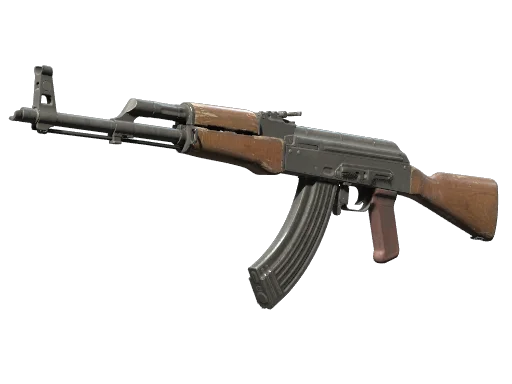
Shroud’s config isn’t magic — it’s consistency. He’s used essentially the same sensitivity, crosshair, and 4:3 stretched resolution since CS:GO days. That muscle memory is why he can still one-tap top-tier players with the ak-47 rifle or clutch an eco with the usp-s pistol.
Copying his numbers won’t turn you into shroud overnight. But locking in a stable setup and sticking with it is the single biggest thing separating pros from Silvers.
Should You Copy Shroud’s Setup?
Yes — if:
- You want a proven low-sens baseline
- You’re switching from a high-sens setup and need reference numbers
- You prefer minimal HUD clutter and clean visuals
No — if:
- You already have a stable config that wins you rounds
- You play primarily with the awp sniper rifle and prefer higher zoom sens
- Your monitor can’t run 4:3 stretched properly
Compare With Other Pros
Want to see how shroud stacks up against active pros? Check out these breakdowns:
- karrigan’s CS2 config — FaZe’s IGL setup
- broky’s crosshair and sens — one of the best AWPers alive
- w0nderful’s settings — NAVI’s rising sniper
Final Thoughts
Shroud’s config is proof that fundamentals beat flashy tweaks. A 800 DPI × 1.25 sens, a tiny cyan crosshair, and 16:9 — that’s it. The rest is thousands of hours of muscle memory.
Ready to complete the look? Browse the full lineup of CS2 weapon skins on cs2.ad and find a loadout worthy of shroud-level