







































Want to play like NAVI’s Finnish in-game leader? We’ve compiled the complete Aleksib CS2 settings breakdown — from his crosshair and sensitivity to his gear and video config. Whether you’re an aspiring IGL or just curious how a pro tactician sets up his game, this guide gives you everything you need to copy his setup exactly.
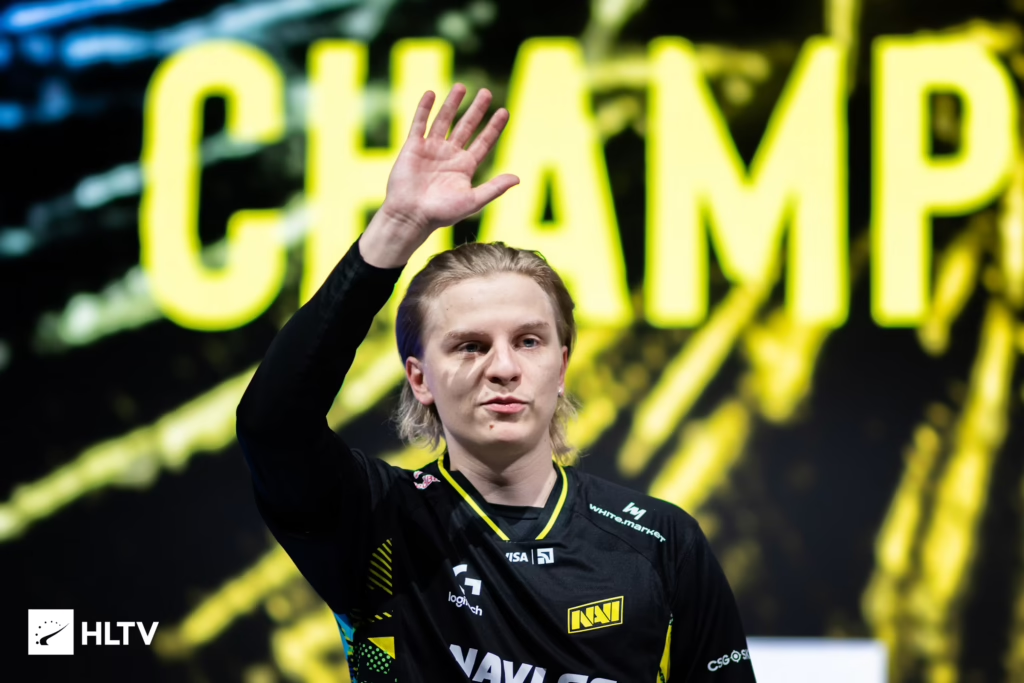
Who Is Aleksib?
Aleksi “Aleksib” Virolainen is a Finnish professional CS2 player and in-game leader (IGL) currently competing for Natus Vincere (NAVI). Known for his sharp tactical mind, he previously led ENCE to a major final and has spent time on OG and other top-tier rosters.
As an IGL, his mechanical setup is dialed for consistency and clear vision — not flashy flicks. That’s why his config is worth studying: it’s built for reliability under pressure.
Aleksib CS2 Mouse Settings & Sensitivity
Aleksib runs a low sensitivity typical of pros who prioritize precise crosshair placement over spray transfers.
| Setting | Value |
| DPI | 400 |
| In-game Sensitivity | 0.95 |
| eDPI | 380 |
| Zoom Sensitivity | 1.00 |
| Hz (Polling Rate) | 1000 |
| Windows Sensitivity | 6 |
| Raw Input | 1 |
| Mouse Acceleration | 0 |
Key takeaway: His eDPI of 380 is on the lower end for pros, giving him tight, controlled aim ideal for holding angles as an IGL.
Aleksib CS2 Crosshair
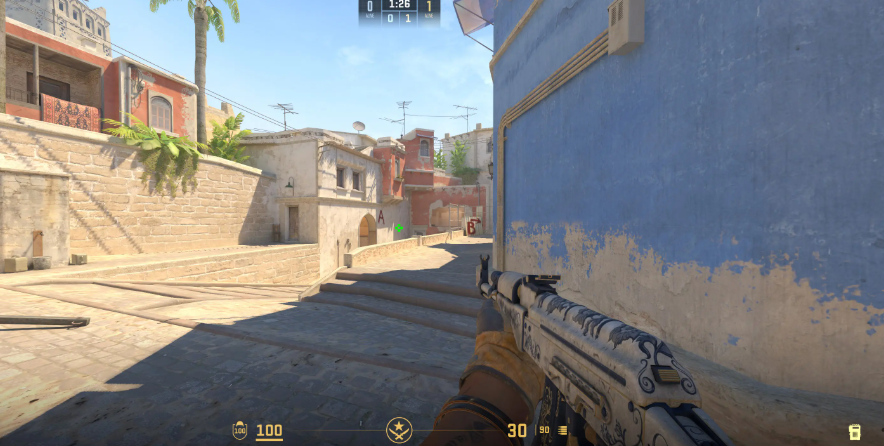
His crosshair is minimal, static, and easy to place on head-level angles.
cl_crosshairstyle 4
cl_crosshairsize 1
cl_crosshairthickness 1
cl_crosshairgap -4
cl_crosshair_drawoutline 0
cl_crosshair_outlinethickness 1
cl_crosshaircolor 1
cl_crosshaircolor_r 50
cl_crosshaircolor_g 250
cl_crosshaircolor_b 50
cl_crosshairdot 0
cl_crosshair_t 0
cl_crosshairalpha 255
Copy-paste crosshair share code:
CSGO-XdLy4-rox9M-8hs4o-nBfTD-4uhCGIf you’re comparing pro IGL setups, check our karrigan cs2 settings breakdown for another leader’s approach.
Aleksib CS2 Viewmodel Settings
His viewmodel keeps the weapon slightly out of the way without going full “left-hand” extreme.
| Setting | Value |
| viewmodel_fov | 68 |
| viewmodel_offset_x | 2.5 |
| viewmodel_offset_y | 0 |
| viewmodel_offset_z | -1.5 |
| viewmodel_presetpos | 2 |
(Note: The cl_bob commands from CS:GO are obsolete/disabled in CS2).
Aleksib CS2 Video Settings
Aleksib runs a stretched 4:3 resolution — a classic pro choice that widens character models and reduces peripheral distraction.
| Setting | Value |
|---|---|
| Resolution | 1440×1080 |
| Aspect Ratio | 4:3 |
| Scaling Mode | Stretched |
| Display Mode | Fullscreen |
| Refresh Rate | 360 Hz |
| Boost Player Contrast | Enabled |
| Wait for Vertical Sync | Disabled |
| Multisampling AA Mode | 2x MSAA |
| Global Shadow Quality | High |
| Model / Texture Detail | Low |
| Shader Detail | High |
| Particle Detail | Low |
| Ambient Occlusion | Disabled |
| High Dynamic Range | Quality |
| FidelityFX Super Resolution | Disabled |
| NVIDIA Reflex | Disabled |
Want to fine-tune your own visuals? Our cs2 graphic settings guide covers every option in detail.
Aleksib CS2 Launch Options
Simple and clean:
-freq 360 -console -novid -tickrate 128Aleksib Gear & Peripherals
| Gear | Model |
| Mouse | Logitech G Pro X Superlight Red |
| Keyboard | Logitech G Pro X TKL |
| Headset | Logitech G PRO X 2 LIGHTSPEED |
| Monitor | BenQ ZOWIE XL2566K (360Hz) |
| Mousepad | Logitech G640 NAVI Lines |
Key takeaway: A 360 Hz monitor paired with a 1000 Hz mouse polling rate ensures Aleksib gets every millisecond of reaction time he can squeeze out.
Why These Settings Work for an IGL
Aleksib’s config prioritizes three things:
- Aim consistency — Low eDPI keeps crosshair placement locked to head level.
- Visual clarity — Low detail settings and stretched res make enemy models pop.
- Zero distractions — Minimal crosshair, quiet viewmodel, no bloom or clutter.
If you want to compare his approach to other Finnish stars, check out jimpphat cs2 settings and xertion cs2 settings — both NAVI-adjacent talents with their own configs.
Should You Copy Aleksib’s Settings?
Copying a pro config won’t make you a pro — but it’s a great starting baseline. His crosshair, viewmodel, and video settings work for almost anyone. However:
- Sensitivity is personal. Start at 1.35 @ 400 DPI, then adjust.
- Stretched res takes getting used to — try it on a smurf account first.
- Hardware matters. You don’t need a 360 Hz monitor, but 144 Hz+ is a real gameplay upgrade.
For more pro configs, browse our library including broky cs2 settings and w0nderful cs2 settings — both current NAVI teammates worth studying.
Final Thoughts
Aleksib’s CS2 setup is proof that you don’t need flashy configs to win — you need consistency, clarity, and control. His low sensitivity, minimal crosshair, and pared-down visuals let him focus on what matters: calling the game and hitting his shots.
Looking to grab a fresh loadout to match your new settings? Browse all CS2 skins or check out the latest ak-47 skin prices on cs2.ad. Good luck, and happy fragging.