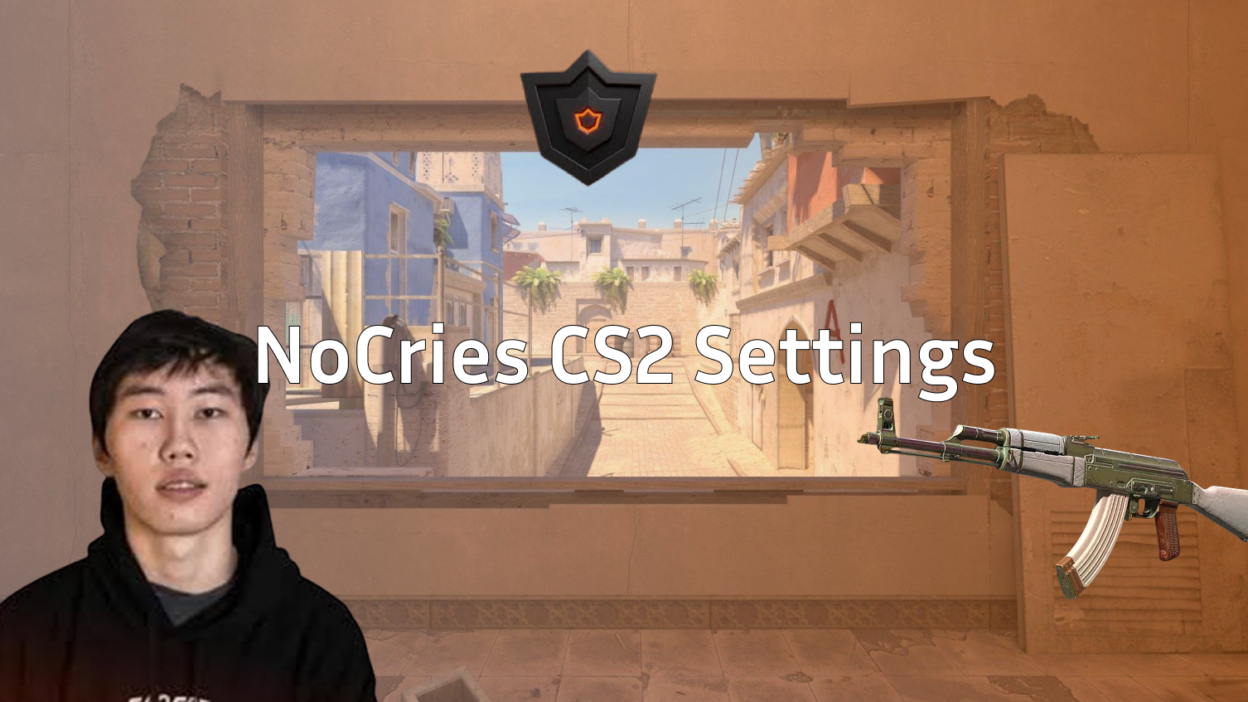
From unknown to unstoppable that’s the story of nocries, the 18-year-old Mongolian sensation who shocked the CS2 world by reaching #1 on FACEIT NA with over 4,300 ELO. His journey from cheating allegations to vindication at FACEIT headquarters in September 2025 has become legendary in the community. Now, Maidar Baldanov stands as one of the most promising talents in Counter-Strike 2, drawing comparisons to established stars like ropz for his methodical playstyle and incredible consistency.
In this comprehensive guide, we’ll break down every aspect of nocries CS2 settings, from his precise mouse sensitivity to his optimized video configuration. Whether you’re looking to climb the FACEIT ladder or simply improve your gameplay, understanding how this rising star configures his setup can provide valuable insights for your own journey.
Who is NoCries? The Rising CS2 Star
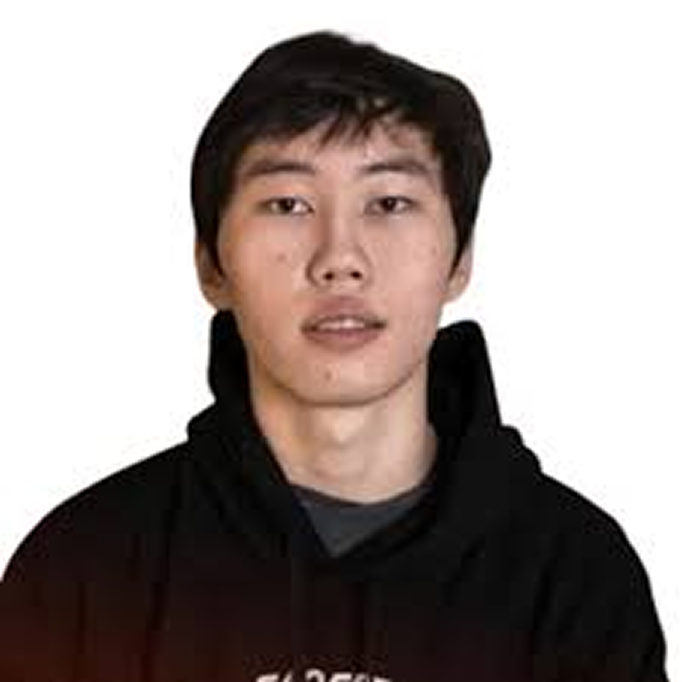
Born in Mongolia and raised in Buryatia, nocries moved to the United States to pursue his studies but his true passion remained Counter-Strike. Starting his journey at just 6 years old, he’s spent over a decade honing his skills to reach the pinnacle of NA competitive play.
Key Stats and Achievements:
- FACEIT Rank: #1 NA (4,300+ ELO)
- Overall K/D: 1.51
- Average ADR: 104 across 1,100+ matches
- Win Rate: 58%
- Current Status: FPL invite recipient, seeking professional team
The controversy that erupted in September 2025 only strengthened his reputation. When cheating allegations surfaced due to his meteoric rise, nocries didn’t hide – he flew directly to FACEIT headquarters for verification. After extensive testing and analysis, FACEIT confirmed his legitimacy, turning skeptics into believers. His story mirrors the early careers of other prodigies like donk, who also faced scrutiny before proving their talent on the big stage.
NoCries Mouse Settings & Sensitivity
The foundation of nocries’ incredible aim starts with his carefully tuned mouse settings. His setup prioritizes precision over speed, allowing for those crisp one-taps that have become his signature.
Mouse Hardware & Settings:
- Mouse: Logitech G PRO X Superlight 2 (White)
- DPI: 800
- In-game Sensitivity: 1.0-1.15 (varies between sources)
- eDPI: 800-920
- Zoom Sensitivity: 1.0
- Windows Sensitivity: 6/11
- Mouse Acceleration: Off
- Polling Rate: 1000Hz
His eDPI of 800-920 places him firmly in the low-sensitivity category, similar to many professional players who prioritize precision. This setup requires more arm movement but provides exceptional control for long-range engagements. The variation in reported sensitivity (1.0-1.15) suggests he may adjust based on the map or his current form.
Why This Works:
- Low sensitivity enables pixel-perfect precision
- 1000Hz polling rate ensures minimal input lag
- The Superlight 2’s 63g weight allows for effortless large swipes
- Consistent Windows settings prevent any acceleration issues
For players looking to optimize their own setup, check our comprehensive CS2 mouse sensitivity guide to find your perfect balance.
NoCries Crosshair Settings
A player’s crosshair is their most personal setting, and nocries has refined his to perfection. His current crosshair strikes the perfect balance between visibility and precision.
Current Crosshair Code:
CSGO-4anjY-sA2u5-fuWG7-s4TGt-zXQ3ADetailed Breakdown:
- Style: Classic Static (no movement)
- Length: 1
- Thickness: 1
- Gap: -4
- Outline: 1 (black)
- Center Dot: Disabled
- Color: Green (R:0, G:255, B:0)
- Alpha: 255 (fully opaque)
The negative gap of -4 creates a tight crosshair that’s perfect for precise headshot placement. The green color provides excellent contrast against most backgrounds, while the black outline ensures visibility in bright areas. This setup is particularly effective for players who rely on crosshair placement and pre-aiming common angles.
Alternative Crosshairs Used:
Throughout his streams, nocries has experimented with variations, including versions with center dots and different gap settings. However, his current setup has remained consistent during his climb to #1.
NoCries Video Settings
Performance is king in competitive CS2, and nocries’ video settings reflect this philosophy perfectly. His configuration maximizes frames while maintaining crucial visual clarity.
Display Settings:
- Resolution: 1280×960
- Aspect Ratio: 4:3 Stretched
- Display Mode: Fullscreen
- Refresh Rate: 240Hz+
Why 4:3 Stretched?
The 4:3 stretched resolution remains popular among pros for several reasons:
- Wider player models make hitting shots feel easier
- Higher FPS compared to native resolutions
- Reduced visual clutter helps focus on crucial elements
- Muscle memory from years of playing on similar settings
This setup mirrors what many professional players use, providing the perfect balance between performance and visibility. For a deep dive into optimizing your visual settings, explore our CS2 video settings guide.
NoCries Viewmodel Settings
Your weapon’s position on screen might seem minor, but nocries has fine-tuned his viewmodel for maximum visibility and comfort.
Console Commands:
viewmodel_fov 68viewmodel_offset_x 2.5
viewmodel_offset_y 0
viewmodel_offset_z -1.5
viewmodel_presetpos 2
This configuration pushes the weapon model slightly to the right and down, maximizing screen real estate while maintaining a natural feel. The FOV of 68 (maximum) provides the widest possible view, crucial for spotting enemies in peripheral vision.
Impact on Gameplay:
- More screen space for spotting enemies
- Reduced visual distraction during spray control
- Better visibility when checking corners
- Natural weapon positioning that doesn’t interfere with crosshair placement
NoCries Monitor Settings
Even the best in-game settings won’t help without a properly configured monitor. NoCries uses a BenQ ZOWIE monitor with settings optimized for competitive play.
BenQ ZOWIE Settings:
- DyAc: Premium mode
- Black eQualizer: 10
- Color Vibrance: 15
- Low Blue Light: 0
- Gamma: 2
- Color Temperature: User Define (R:100, G:100, B:100)
- Contrast: 60
- Sharpness: 9
- AMA: High
The Black eQualizer setting of 10 brightens dark areas without overexposing bright spots, crucial for spotting enemies in shadows. Combined with increased color vibrance, enemies become easier to distinguish from the environment. These settings complement his CS2 graphic settings for optimal visibility.
NoCries PC Specs & Hardware
Behind every great player is great hardware, and nocries’ setup ensures he never experiences performance issues during crucial moments.
Current PC Build:
- GPU: NVIDIA RTX 5070 Ti
- CPU: AMD Ryzen 7 9800X3D
- RAM: 64GB DDR5
- Storage: NVMe SSD (specific model unknown)
- Headset: Logitech G PRO X 2 (White)
- Keyboard: [Information pending]
- Mousepad: [Information pending]
The Ryzen 7 9800X3D is particularly noteworthy AMD’s 3D V-Cache technology provides exceptional gaming performance, especially in CPU-intensive titles like CS2. Combined with the RTX 5070 Ti, this setup easily pushes 400+ FPS at his chosen resolution.
Performance Analysis:
- Consistent 400+ FPS at 1280×960
- Zero input lag or stuttering
- Headroom for streaming without performance loss
- Future-proof for upcoming CS2 updates
Learn how to maximize your own hardware performance with our CS2 max fps optimization guide.
NoCries Config & Launch Options
While specific config details remain private, we can infer optimal settings based on his playstyle and common pro configurations.
Recommended Launch Options:
-novid -high -threads 8 +fps_max 0 -nojoyKey Binds (Likely):
- Jump throw binds for consistent utility
- Quick switch binds for AWP play
- Optimized buy binds for faster purchasing
Config Best Practices:
- Regular backups of your config files
- Autoexec usage for consistent settings
- Separate configs for practice vs competitive play
- Regular updates as the game evolves
Compare these settings with other top players like s1mple to find what works for your playstyle.
NoCries Playstyle Analysis
Understanding nocries’ settings becomes more meaningful when you analyze how they complement his playstyle. His configuration supports a methodical, aim-heavy approach that has terrorized NA FACEIT.
Key Strengths:
- Exceptional crosshair placement, rarely needs to flick
- Consistent spray control at all ranges
- Smart positioning that maximizes his aim advantage
- Adaptability between aggressive and passive plays
His Mirage and Nuke specialization showcases his versatility. On Mirage, he dominates mid control with precise long-range duels. On Nuke, his positioning and timing create constant pressure for CTs. This map pool mastery, combined with his settings, creates a formidable package.
Statistical Breakdown:
- Headshot Percentage: 58%
- Opening Duel Success: 65%
- Clutch Win Rate: 42% (1vX situations)
- Multi-kill Rounds: 31%
His settings enable this consistency low sensitivity for precise aim, optimized visibility for quick target acquisition, and performance settings that ensure zero technical limitations. Similar to m0nesy’s approach to AWPing, nocries proves that finding your perfect settings is crucial for reaching your potential.
How to Play Like NoCries
Want to implement nocries’ settings and improve your game? Here’s a structured approach to adopting his configuration and playstyle.
Step 1: Settings Implementation
- Start with his exact settings as a baseline
- Play deathmatch for 30 minutes to adjust
- Fine-tune sensitivity in 0.05 increments if needed
- Maintain settings for at least one week before changing
Step 2: Practice Routine
- Aim Training: 30 minutes daily on aim trainers
- Deathmatch: Focus on crosshair placement, not frags
- Utility Practice: Master essential smokes and flashes
- Demo Review: Watch your deaths to identify positioning errors
Step 3: Mental Approach
- Stay calm during clutches nocries rarely panics
- Focus on consistency over highlight plays
- Communicate effectively without overcomplicating
- Trust your preparation and settings
Step 4: FACEIT Grinding Tips
- Play during peak hours for balanced matches
- Warm up properly before queuing
- Focus on personal performance over ELO
- Network with higher-level players
Don’t forget to optimize your CS2 radar settings for better game awareness – a crucial element of nocries’ success.
Frequently Asked Questions
Is nocries legit?
Yes, FACEIT officially verified nocries at their headquarters in September 2025. He underwent extensive testing and monitoring, proving his skills are legitimate. The organization publicly confirmed his authenticity.
What’s nocries’ real name and age?
His real name is Maidar Baldanov, and he’s currently 18 years old (as of 2026). He’s originally from Mongolia but currently resides in the United States.
Has nocries joined a professional team?
As of February 2026, nocries remains unsigned but has received his FPL invite. Multiple organizations have shown interest, and an announcement is expected soon.
How can I download nocries’ config?
His exact config isn’t publicly available, but you can recreate his settings using the information in this guide. Copy the console commands and crosshair code provided.
What’s nocries’ streaming schedule?
He typically streams on Twitch during NA evening hours (6 PM – 2 AM PST), though schedules vary based on practice and tournaments.
How does nocries compare to other top players?
His settings are similar to other low-sensitivity aimers, with an eDPI comparable to NiKo and ropz. His consistency rivals established pros, making him a genuine prospect for tier 1 teams.
Conclusion
NoCries’ journey from an unknown grinder to FACEIT NA’s #1 player proves that with the right settings, dedication, and mindset, anything is possible in CS2. His vindication at FACEIT headquarters transformed him from controversial figure to inspirational success story, showing that raw talent combined with optimized settings can compete at the highest level.
Key Takeaways:
- Low sensitivity (800-920 eDPI) enables precise aim
- 4:3 stretched resolution maximizes performance and visibility
- Optimized monitor settings provide competitive advantages
- High-end hardware ensures consistent performance
- Methodical playstyle maximizes his configuration’s strengths
While copying nocries’ exact settings won’t instantly make you a FACEIT rank 1 player, understanding how each element contributes to his success can help you optimize your own setup. Remember, the best settings are the ones that feel natural to you use nocries’ configuration as a starting point, then adjust based on your preferences and playstyle.
Ready to climb the ranks? Start by implementing these settings, develop a consistent practice routine, and maintain the dedication that nocries showed on his path to the top. Follow him on social media for updates on his professional career, and who knows you might see these settings dominating tier 1 tournaments soon.
For more pro player configurations and optimization guides, explore our comprehensive settings database. Whether you’re interested in AWP specialists or looking to improve your rifle play, understanding how the best players configure their game is the first step toward improvement.