







































































































































VAC Ban Appeal: Can You Really Get Unbanned in CS2?
Getting hit with a VAC ban feels like the end of the world your CS2 matchmaking is gone, your inventory is frozen, and your competitive career just died in one loading screen. So can a VAC ban appeal actually work? We’re going to give you the honest, no-hype answer straight from Valve’s own policy, plus what you can and can’t do next.
Can You Appeal a VAC Ban in CS2?
Short answer: No, not in any meaningful way. Valve’s official Steam Support policy is crystal clear VAC bans are permanent and non-negotiable.
Here’s exactly what Steam Support says on their “I’ve been VAC banned” page:
> “The Valve Anti-Cheat system (VAC) is an automated system designed to detect cheats installed on users’ computers. VAC bans are permanent, non-negotiable, and cannot be removed by Steam Support.”
That’s the whole story. Steam Support agents literally do not have the tools to lift a VAC ban, even if they wanted to. There is no appeal form, no ticket that magically reverses it, and no “please I didn’t cheat” email that will change the outcome.
Why VAC Bans Are Non-Negotiable
Valve designed VAC (Valve Anti-Cheat) to be a fully automated detection system. It only issues a ban when it detects known cheat signatures on your machine meaning by the time a ban lands, the system already has a confirmed match.
Because it’s automated and evidence-based, Valve treats every VAC ban as final. This keeps competitive integrity intact across CS2, and it’s the same reason vac ban cs2 restrictions carry over from your CS:GO days directly into Counter-Strike 2.
What a VAC Ban Actually Does
A VAC ban is more than “no more matchmaking.” Here’s what happens to your account:
- Permanent ban from all VAC-secured servers for that game
- Cannot trade or Market any items from the banned game (skins are locked forever)
- Cannot transfer items via Steam Gifts
- Prime status is stripped in CS2
- Public “VAC banned” label shows on your Steam profile
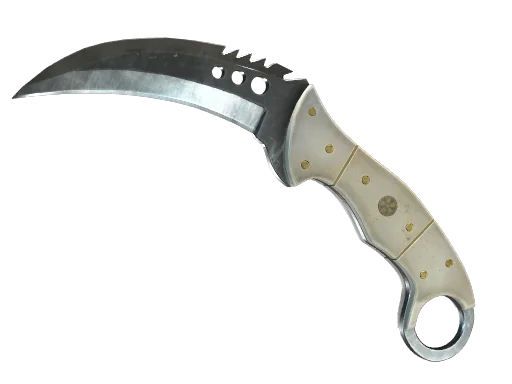
If you had a karambit Fade or a stacked ak-47 Wild Lotus sitting in your inventory they’re trapped. You can still see them, but you can’t move them.
The Only Two Situations Where a Ban Can Be Removed
According to Steam Support, there are only two narrow scenarios where a VAC ban gets lifted and neither involves an appeal you submit.
1. A False Positive from Valve
If Valve identifies a mistake in the detection signature itself (extremely rare), they will lift all affected bans automatically. You don’t apply for this. You don’t email anyone. If it happens, it happens on their end.
2. Account Was Hacked BEFORE the Ban
If your Steam account was compromised before the VAC ban was issued, and you can prove it, Steam Support may remove the ban. Key requirements:
- The hack must be documented prior to the ban
- You must have already recovered the account through official channels
- Steam Support reviews the evidence not you appealing directly
Important: Claiming “I was hacked” after the fact does not work. Valve’s systems log activity, and post-ban excuses go nowhere.
What About Game Bans, Trade Bans, and Community Bans?
Not every red badge on a Steam profile is a VAC ban. Here’s how they differ:
| Ban Type | Issued By | Can Be Appealed? | Affects |
|---|---|---|---|
| VAC Ban | Automated (Valve) | No | Game matchmaking + trading |
| Game Ban | Developer (non-Valve) | Sometimes contact the developer | Specific game only |
| Overwatch Ban (CS2) | Community reviewers | No formal appeal | CS2 matchmaking |
| Trade Ban | Steam Support | Yes, via ticket | Trading + Market |
| Community Ban | Steam Support | Yes, via ticket | Forums, profiles, workshop |
If you got a Game Ban in a non-Valve title, that developer might have an appeal process. But for a straight-up CS2 VAC ban? There’s no button to press.
Common VAC Ban Appeal Myths Debunked
We see the same bad advice on Reddit, YouTube, and shady websites every week. Let’s kill it:
- “Pay this site to remove your VAC ban” 100% a scam. Nobody outside Valve can touch a VAC ban. You’ll lose money and possibly your account.
- “Contact Gabe Newell directly” He’s not reading your DM, and even if he did, the policy stands.
- “Wait 7 years and it disappears” False. VAC bans are permanent. They may become less prominent on some profile views, but the ban and the inventory lockdown never go away.
- “Just make a new account” Yes, but you lose everything: your rank, your friends list, your entire inventory. And if VAC detects the same cheat again, the new account gets banned instantly.
What You Can Actually Do After a VAC Ban
If the ban is real and it’s yours, here are the only realistic paths forward:
1. Start a Fresh Account
You can create a new Steam account and buy CS2’s Prime upgrade to access ranked matchmaking again. Just know that any hardware bans or shared IP flags may follow you. Don’t reinstall the same cheats VAC updates constantly, and delayed ban waves are very real.
2. Rebuild Your Inventory Cleanly
If you’re starting over, treat it as a clean slate. Check current cs2 skins prices before you buy the market shifts fast. Popular pickups like the awp Asiimov or an m4a4 Howl replacement can cost more than you think.
3. Understand Why It Happened
Sometimes players get VAC banned from a shared PC (roommate, sibling, LAN cafe). If that’s you, learn from it never sign into Steam on a machine you don’t fully control, and disable auto-login on shared hardware.
How to Avoid a Future VAC Ban
Prevention is the only real “appeal” that works. Here’s how we recommend keeping your account safe:
- Never run cheats, injectors, or third-party trainers while Steam is running even in offline single-player
- Avoid sketchy “config” downloads from Discord many contain flagged DLLs
- Don’t use autoexec files from unknown sources stick to trusted community resources
- Enable Steam Guard Mobile Authenticator so your account can’t be hijacked
- Keep an eye on error messages if you see vac was unable to verify your game session, that’s a network issue, not a ban, but worth troubleshooting
- Watch performance issues too problems like cs2 rubberbanding are unrelated to VAC but can be confused with anti-cheat kicks
The Bottom Line on VAC Ban Appeals
We know it’s not the answer anyone wants. A VAC ban appeal in CS2 essentially doesn’t exist Valve’s policy is automated, permanent, and enforced without exception. The only real removals happen when Valve detects a false positive on their end, or when a pre-ban hack is proven through Steam Support.
Your best move is prevention: secure your account, avoid anything that looks like a cheat, and if the worst happens, start fresh. When you’re ready to rebuild, we’ve got you covered browse current prices for all knives and all rifles at cs2.ad to plan your new inventory the smart way.