





















































fer CS2 Settings, Crosshair & Career Guide
Looking to copy fer CS2 settings or learn more about one of Brazil’s most iconic entry fraggers? We’ve put together the most up-to-date breakdown of Fernando “fer” Alvarenga’s full config, crosshair, viewmodel, and mouse setup plus a quick look at the career that made him a Counter-Strike legend.
Who Is fer?
Fernando “fer” Alvarenga is a Brazilian professional Counter-Strike player, born in 1991. He’s best known for his time with Luminosity Gaming and SK Gaming, where he formed the backbone of the legendary Brazilian lineup that dominated CS:GO in 2016 and 2017.
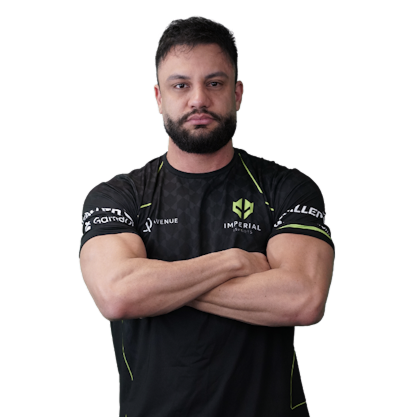
He plays as an entry fragger the role responsible for taking opening duels and creating space for the team. fer is currently a free agent.
Career Highlights
- 2x Major Champion MLG Columbus 2016 and ESL One Cologne 2016 with Luminosity / SK Gaming
- Long-running tenure with the iconic FalleN, coldzera, fer, TACO, fnx Brazilian core
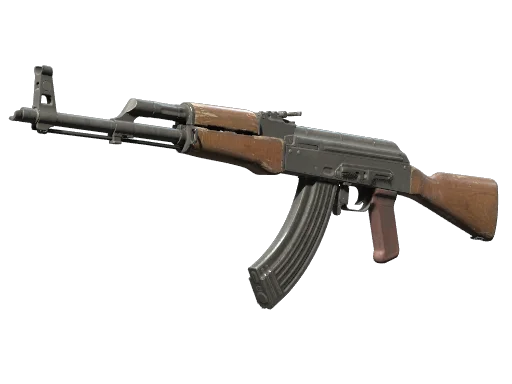
- Known for aggressive AK-47 play and fearless entries on T-side
You can browse the 2016 MLG Columbus tournament and 2016 ESL One Cologne souvenir items tied to those legendary runs.
fer CS2 Mouse Settings
fer runs a low-to-medium sensitivity that’s pretty standard for entry players who need both flick precision and tracking control.
| Setting | Value |
|---|---|
| DPI | 800 |
| Sensitivity | 1.35 |
| eDPI | 1080 |
| Zoom Sensitivity | 1.00 |
| Hz (Polling Rate) | 1000 |
| Windows Sensitivity | 6 |
| Raw Input | 1 |
| Mouse Acceleration | 0 |
Key takeaway: An eDPI of 1080 is right in the pro sweet spot low enough for sharp AWP flicks, high enough for fluid spray transfers with the ak-47 rifle skins.
fer CS2 Crosshair
fer uses a clean, classic static crosshair that’s easy to track during sprays.
cl_crosshairstyle 4cl_crosshairsize 2
cl_crosshairthickness 1
cl_crosshairgap -2
cl_crosshair_drawoutline 0
cl_crosshairdot 0
cl_crosshaircolor 1
cl_crosshair_t 0
Copy-paste command:
cl_crosshair_friendly_warning 1; cl_crosshairalpha 255; cl_crosshaircolor 1; cl_crosshaircolor_b 50; cl_crosshaircolor_g 250; cl_crosshaircolor_r 50; cl_crosshairdot 0; cl_crosshairgap -2; cl_crosshairsize 2; cl_crosshairstyle 4; cl_crosshairthickness 1; cl_crosshair_drawoutline 0If you want to experiment with similar setups, check our guide on cs2 binds and crosshair for more ideas.
fer CS2 Viewmodel Settings
A standard viewmodel with no major quirks leans slightly toward the classic right-handed setup.
| Setting | Value |
|---|---|
| viewmodel_fov | 68 |
| viewmodel_offset_x | 2.5 |
| viewmodel_offset_y | 0 |
| viewmodel_offset_z | -1.5 |
| viewmodel_presetpos | 3 |
| cl_righthand | 1 |
Want to mirror your weapon? Our quick left hand command cs2 tutorial walks through it.
fer CS2 Video Settings
fer prioritizes high frame rates and visibility over eye candy typical pro setup.
| Setting | Value |
|---|---|
| Resolution | 1280×960 |
| Aspect Ratio | 4:3 |
| Scaling Mode | Stretched |
| Refresh Rate | 240 Hz |
| Display Mode | Fullscreen |
| Boost Player Contrast | Enabled |
| Multisampling AA | None |
| Shadow Detail | Low |
| Texture Filtering | Bilinear |
Why 4:3 stretched? Player models appear wider, making spray patterns and tracking easier a habit carried over from CS 1.6 and CS:GO.
fer Gear & Hardware
| Gear | Model |
|---|---|
| Mouse | Logitech G Pro X Superlight |
| Mousepad | Logitech G640 |
| Keyboard | Logitech G Pro X |
| Headset | Logitech G Pro X |
| Monitor | BenQ ZOWIE XL2546K (240Hz) |
How to Apply fer’s Config in CS2
- Open CS2 and head to Settings → Game.
- Enable the developer console.
- Paste fer’s crosshair string into the console and hit Enter.
- Set your DPI to 800 in your mouse software, then in-game sensitivity to 1.35.
- Switch your resolution to 1280×960 stretched.
For a deeper dive into optimizing your setup, see our breakdown of optimal CS2 launch options and recommended cs2 practice commands to drill your aim.
What Makes fer’s Style Unique
fer is a textbook entry fragger. He’s aggressive, decisive, and willing to trade his life for opening picks. Watch his old VODs from Luminosity’s 2016 run and you’ll see:
- Fast peeks with the AK-47 minimal hesitation on entries
- Smart utility usage to bait reactions before swinging
- Off-angle holds on CT side, especially on Inferno banana and Mirage A site
If you’re trying to copy his playstyle, master Inferno first. Our inferno smokes cs2 guide covers the lineups you’ll need.
Final Thoughts
fer’s setup is proof that you don’t need a flashy config to dominate just consistent fundamentals, a low eDPI, and a clean crosshair. Whether you’re an aspiring entry fragger or just curious about pro setups, copying these fer CS2 settings is a solid starting point.
Want to deck out your loadout while you’re at it? Browse all CS2 skins on cs2.ad and find your next AK-47 or AWP finish.