Whether you are holding an angle on Mirage or trying to rush B site, there is one invisible enemy that can ruin your match faster than a cheater: lag. As an experienced Gamer who spends way too much time grinding in Counter-Strike 2, I have learned that your internet connection is just as important as your aim.
Today, we are diving deep into the age-old question that plagues every lobby. We will break down what ping actually is, why it matters, and debunk the myths surrounding high latency.
The Short Answer: Is High Ping Good or Bad?
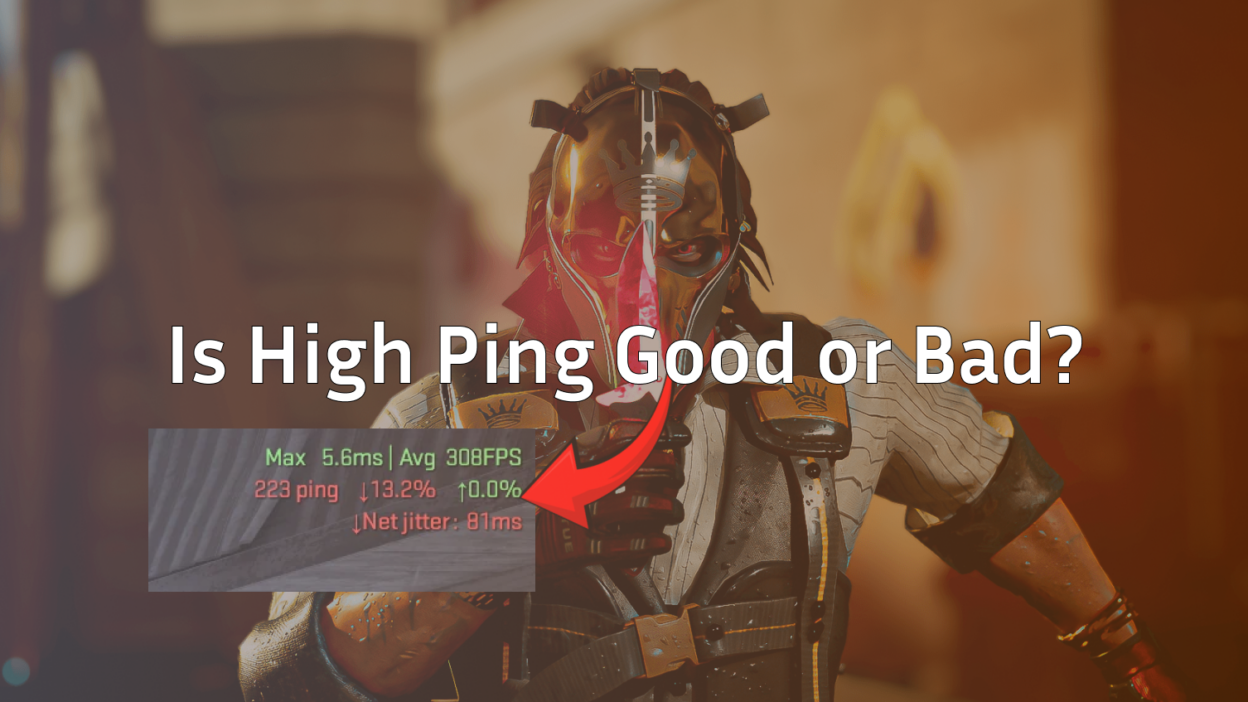
Let’s rip the band-aid off immediately. In almost every scenario imaginable, high ping is bad.
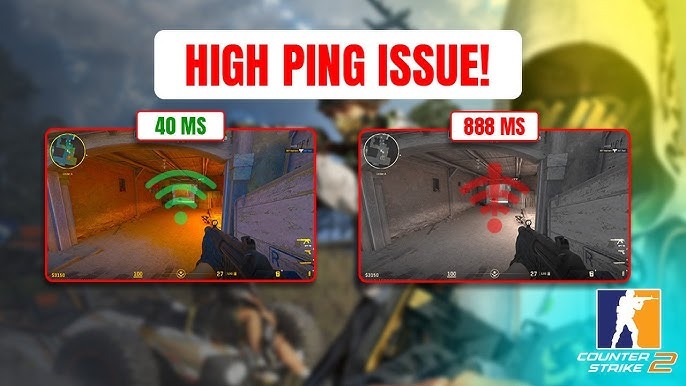
Defining High vs. Low Ping
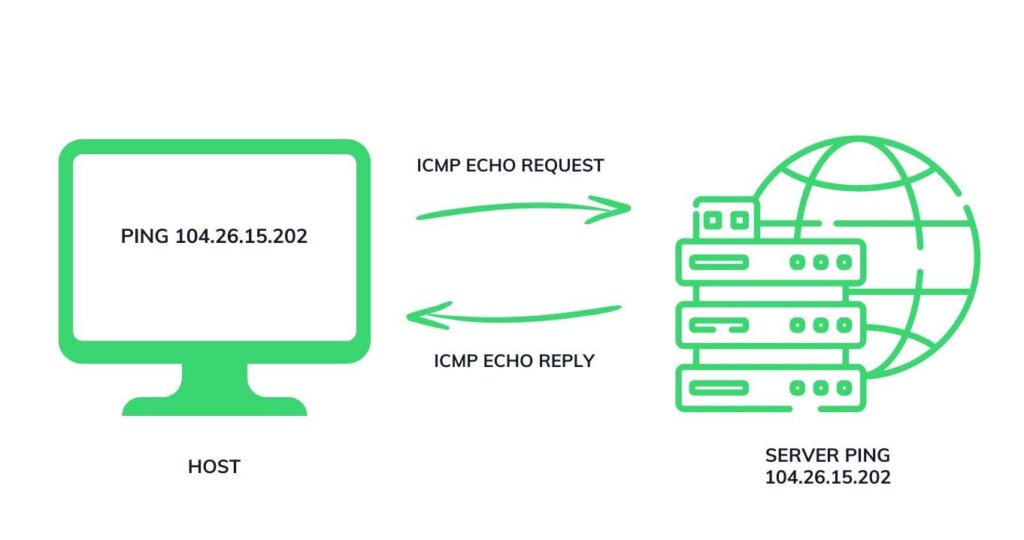
In the world of online gaming, “ping” is the measurement of time it takes for data to travel from your computer to the game server and back. This is measured in milliseconds (ms).
- Low Ping: This means data travels fast. Your actions register almost instantly.
- High Ping: This means there is a delay. You click your mouse, and the server realizes you shot a fraction of a second later.
The verdict on competitive vs. casual play
If you are just messing around in a casual lobby or playing offline against CS2 bots, a slightly higher ping might be annoying, but it is not game-breaking. However, if you are grinding Premier mode or trying to climb the competitive ladder, high ping is a death sentence. In a game where the time-to-kill is instant, being 100ms behind your opponent ensures you lose the duel before you even see them.
Why “low is always better” is the general rule
The lower your ping, the closer your online experience feels to a dedicated LAN server. A lower ping provides the most accurate representation of what is happening in the game world, allowing your raw mechanical skill and game sense to dictate the outcome, rather than your internet service provider.
Understanding the Basics: Ping, Latency, and Packets
Before you start blaming your teammates, you need to understand the technical side of what is happening on your screen. You should definitely learn how to enable the net graph to track these metrics in real-time.
What Exactly is Ping?
Think of ping as a sonar signal. It is the round-trip time. When you spot an enemy and press the left mouse button to fire your AK-47, your PC sends a “packet” of data to the server saying “I shot.” The server processes it and sends a confirmation back. The time that journey takes is your ping.
Ping vs. Latency vs. Lag
These terms are often used interchangeably, but there is a nuance:
- Latency: The technical term for the delay in data transfer.
- Ping: The unit of measurement for latency (the number you see on the scoreboard).
- Lag: The noticeable result of high latency or packet loss, resulting in choppy gameplay or stuttering.
Packet Loss and Jitter: The silent killers of smooth gameplay
Sometimes your ping number looks fine, but the game feels awful. This is usually due to packet loss or jitter.
- Packet Loss: Some data (like your bullets) never reaches the server. This leads to “ghost bullets.” If you are experiencing this, check out this guide on how to fix packet loss in CS2.
- Jitter: This is the variance in your ping. If your ping jumps from 20ms to 80ms constantly, it is harder to play than a stable 90ms connection because you cannot build muscle memory for the delay.
Why High Ping is a Nightmare for Competitive Gaming
If you are trying to learn how to rank up, high ping is the anchor dragging you down. Here is exactly how it destroys your performance.
Input Lag and Delay
When you have high ping, there is a disconnect between your brain and the game. You move your mouse, but the crosshair drags behind. This input lag makes precision aiming impossible. It feels like you are moving your character through mud.
Rubberbanding
We have all been there. You run out of spawn toward A-Main, and suddenly you snap back to where you were three seconds ago. This is called rubberbanding, and it happens when the server disagrees with your client about where you are standing. It is disorienting and often gets you killed while you are stuck running in place.
Hit Registration Failure
Nothing causes more rage than seeing blood splatter on an enemy but doing zero damage. With high ping, your client thinks you hit the shot, but by the time that info reaches the server, the enemy has already moved. The server is the ultimate authority, so your shot counts as a miss. This makes using precision weapons like the Desert Eagle extremely frustrating.
Disadvantages in Reaction-Based Games
In tactical shooters, reaction time is everything. If you and an opponent have the exact same reaction time (say, 200ms), but you have 100ms ping and they have 20ms ping, their action reaches the server 80ms faster than yours. You are effectively playing in the past.
The “High Ping Advantage” Myth: Fact or Fiction?
You might hear players complain about “laggers” being hard to hit. Is there actually an advantage?
Understanding Lag Compensation
Modern games use lag compensation to try and make the game fair. The server attempts to “rewind” time to see where players were when you took your shot. This helps lower-ping players hit lagging targets, but it can occasionally result in dying even after you have run behind cover (being shot around a corner).
The “Peeker’s Advantage”
There is a concept known as Peeker’s Advantage. If a player with high ping aggressively peeks a corner, they might see you before your client receives the packet that they have moved. However, in CS2, the advantage usually favors the lower ping player because their shots register faster once the engagement starts.
Why a stable connection beats a lucky lag spike
While a lagging player might warp around and be hard to track occasionally, they are at a massive disadvantage 99% of the time. They cannot hold angles, their utility throws will be delayed, and their spray control will feel random. Reliability wins matches.
What is Considered a Good Ping? (Latency Tier List)
Not all connections are created equal. Here is a breakdown of what you can expect at different latency levels.
0ms – 20ms: The LAN Experience
This is the holy grail. It is usually only achievable if you live very close to the server or are playing on LAN. This is where pros like s1mple and donk operate. Every movement is crisp, and hit registration is perfect.
20ms – 50ms: Excellent for Competitive Matchmaking
This is the standard for a great experience in CS2. If you are in this range, you have no excuses. You can confidently take AWP duels and execute complex Mirage smokes without worrying about delay.
50ms – 100ms: Playable but Disadvantageous
You can still play, and you can still win, but you have to play differently. Holding tight angles becomes risky because of the delay. You might need to rely more on utility and positioning rather than raw aim duels. Using console commands to tweak your interp settings might help slightly here.
100ms+: The Danger Zone
Once you cross triple digits, the game breaks down. You risk getting the “Unable to establish connection with gameserver” error. At this point, you are a liability to your team. Competitive play is not recommended.
Top Ways to Lower Your Ping and Stabilize Connection
If you are tired of lagging, here are actionable steps to improve your connection.
Ethernet vs. Wi-Fi
This is non-negotiable for serious gamers. Wi-Fi is prone to interference from walls, microwaves, and other devices. An Ethernet cable provides a direct, stable line to your router. Switching to a wired connection is the single best video setting you can make for your network.
Managing Bandwidth
If your roommate is streaming 4K video or you have a download running in the background, your ping will spike. Check your Task Manager to ensure nothing is hogging your bandwidth. Even a small Steam update for another game can ruin your match.
Optimizing Router Settings
Log into your router and look for “QoS” (Quality of Service) settings. You can prioritize gaming traffic over everything else. Additionally, switching your DNS to Google (8.8.8.8) or Cloudflare (1.1.1.1) can sometimes resolve routing issues, though it impacts web browsing speed more than gaming latency.
Do Gaming VPNs Actually Work?
Generally, a VPN adds distance, which adds ping. However, if your ISP has terrible routing to the specific CS2 server you are playing on, a premium VPN might find a more direct path. It is a niche fix, but worth trying if you have weird routing issues.
Final Thoughts
At the end of the day, high ping is bad. It reduces your ability to react, makes movement feel sluggish, and causes hit registration errors that can cost you the round. While knowing the best weapon tier list and practicing your aim are vital, they mean nothing if the server doesn’t register your shots.
Invest in an Ethernet cable, optimize your settings, and always aim for that low latency sweet spot. A stable connection is the foundation of becoming a better player.