If you have just hopped into Counter-Strike 2 after a long break or migrated from another shooter, you might be scratching your head looking at the buy menu. Where is the USP-S? Why are you spawning with a P2000 every single round? Don’t worry, you aren’t the only one. The user interface received a massive overhaul, and the way we manage our inventory has changed significantly.
As an avid gamer who has spent thousands of hours clicking heads, I know that having the right tool for the job is half the battle. In CS2, your starting pistol sets the tempo for the pistol round and eco rounds. For many of us, the USP-S is the go-to choice for its laser-like precision. Here is exactly how to navigate the new loadout system and ensure you are spawning with the silencer equipped on the CT side.
1. Understanding the New CS2 Loadout System
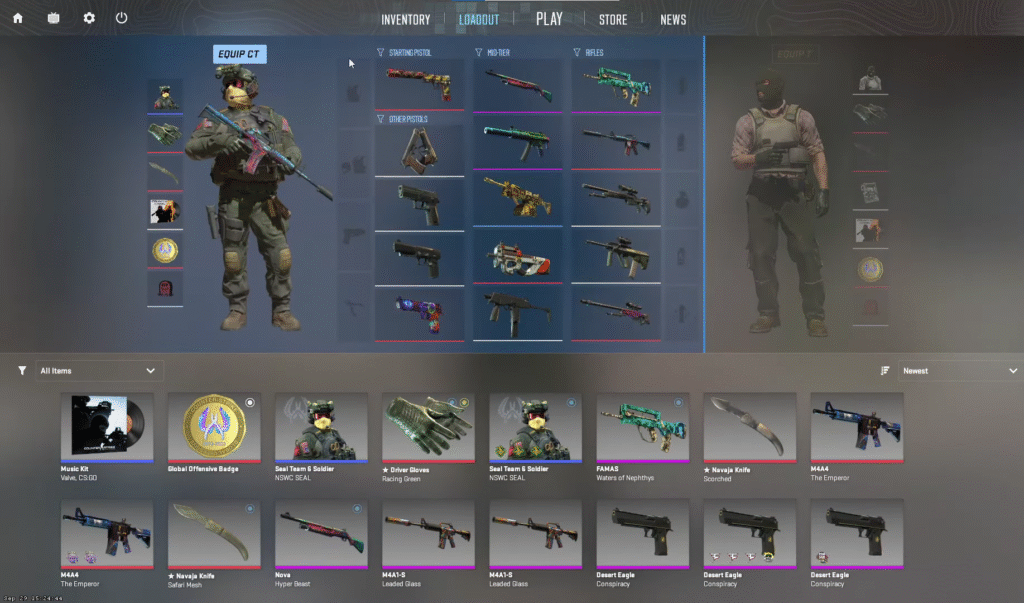
Before we swap weapons, it is crucial to understand how the gear system works now. We have moved away from the old “inventory wheel” of the past. Valve has introduced a streamlined 15-slot grid system for your loadout.
The Shift from CS:GO to CS2
In the previous game, you could theoretically have access to a wider variety of weapons through the wheel menu. In CS2, you must commit to your loadout before you search for a match. You get 15 slots per side: 5 Pistols, 5 Mid-Tier weapons (SMGs and Heavy), and 5 Rifles. If a gun isn’t in your 15-slot grid, you cannot buy it during the match.
The 5-Pistol Limit
This new limitation forces you to make tough choices. You can only bring 5 pistols into the server. This means you have to decide which guns are essential for your economy rounds and which ones you can live without.
Starting Pistol Slot
The most critical part of the pistol row is the very first slot. This is the designated “Starting Pistol” slot. Whichever weapon you place here is the one you will spawn with for free at the start of the round. On the Counter-Terrorists side, this is a binary choice: you either equip the P2000 or the USP-S.
2. Step-by-Step: How to Equip the USP-S in CS2
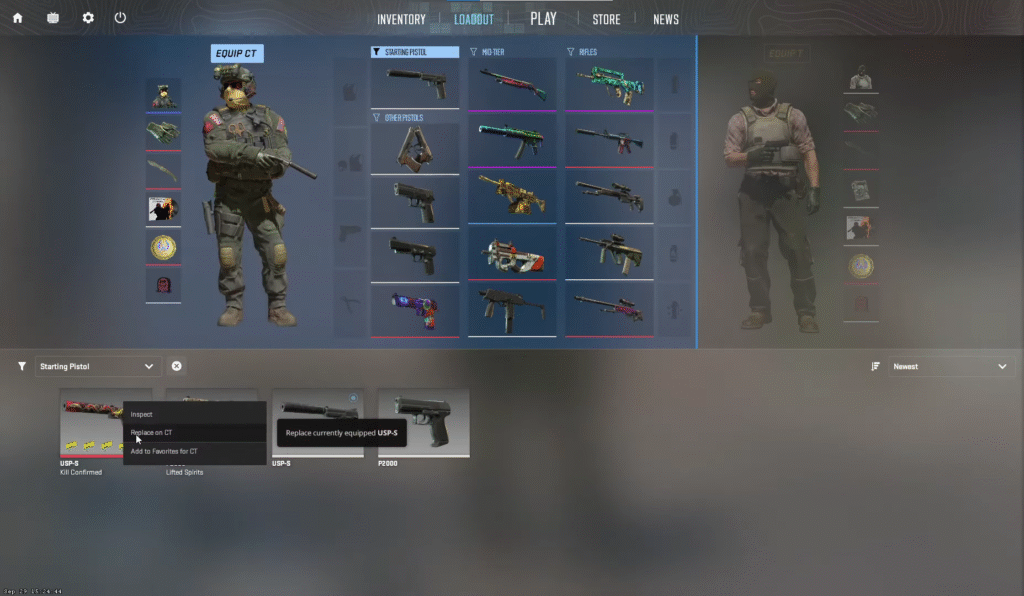
Getting your favorite silenced pistol equipped is a quick process once you know where to look. Follow these steps to update your best CS2 loadout.
Accessing the Menu
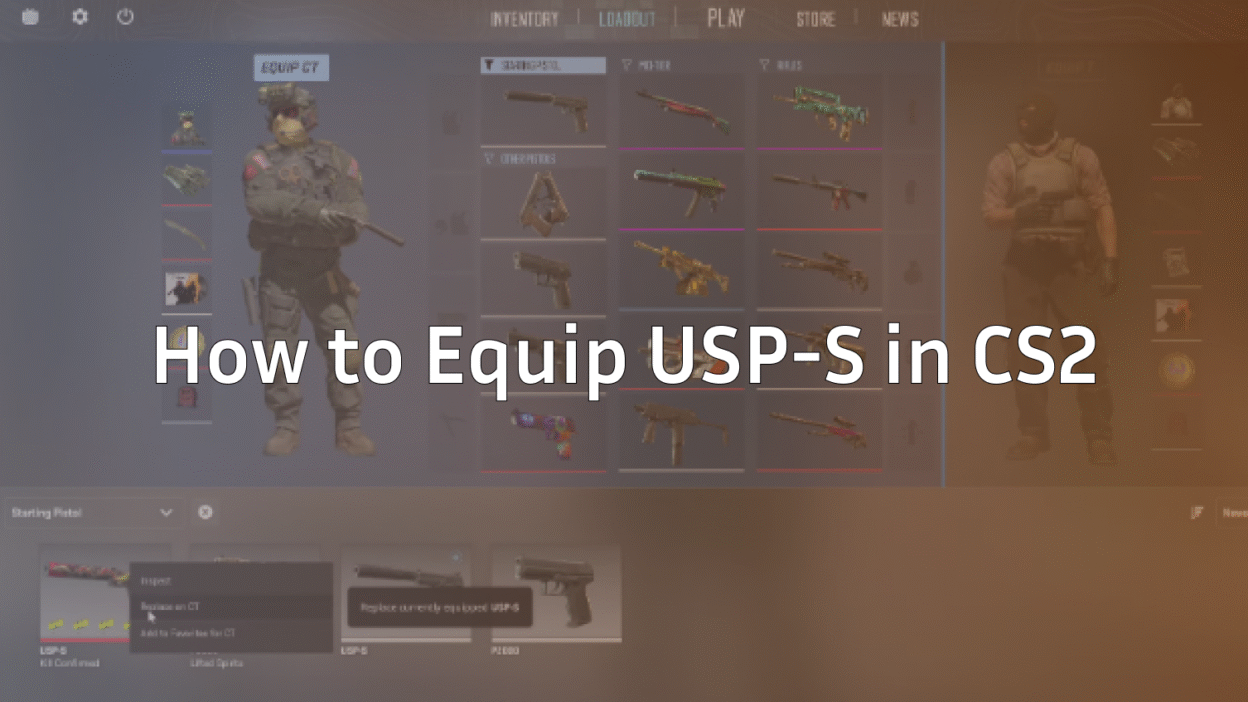
Launch the game and stay on the Main Menu. At the top of the screen, click on the Loadout tab. This will bring up your current active weapons grid.
Selecting the CT Side
The loadout screen shows both teams. Make sure you click the CT symbol (the blue icon) at the top to ensure you are editing the Counter-Terrorist inventory. If you are looking at Glocks, you are on the wrong side!
The Drag-and-Drop Method
- Locate the Weapon: On the right side of the screen, you will see your full inventory pane. Scroll down or use the filters until you find the USP-S.
- Drag and Drop: Click and hold the USP-S icon from the right pane.
- Replace the P2000: Drag it over to the first pistol slot on the left grid (the one currently holding the P2000).
- Confirm: Release the mouse button. You should now see the USP-S in that starting slot.
Alternatively, you can click the P2000 in your loadout grid, and a menu of available replacements will appear on the right. Just click the USP-S to swap them immediately.
3. Troubleshooting: Why Can’t I Buy the USP-S In-Game?
Sometimes, even after you think you have equipped it, you might still spawn with the wrong gun. Here are the common reasons why this happens.
Loadout Verification
Always double-check that the change actually saved. After dragging the weapon, switch tabs to the main menu and back to Loadout to verify the USP-S is still sitting in that first slot.
Slot Confusion
This is the most common mistake. You can put the USP-S in the 2nd, 3rd, or 4th pistol slot. However, if you do this, you will spawn with a P2000 (if it’s in slot 1) and you will have to spend $200 to buy the USP-S from the buy menu. To spawn with it for free, it must be in the first slot.
Mid-Match Changes
If you are already in a Competitive or Premier match and realize you have the wrong pistol, you cannot change it immediately. Loadout changes only apply when you load into a new map. If you are playing a casual mode or CS2 Deathmatch, you may need to disconnect and reconnect for the inventory change to take effect.
4. USP-S vs. P2000: Which CT Pistol is Meta in CS2?
Now that you know how to change it, the question remains: should you? The P2000 vs USP-S debate has raged for over a decade.
USP-S Advantages
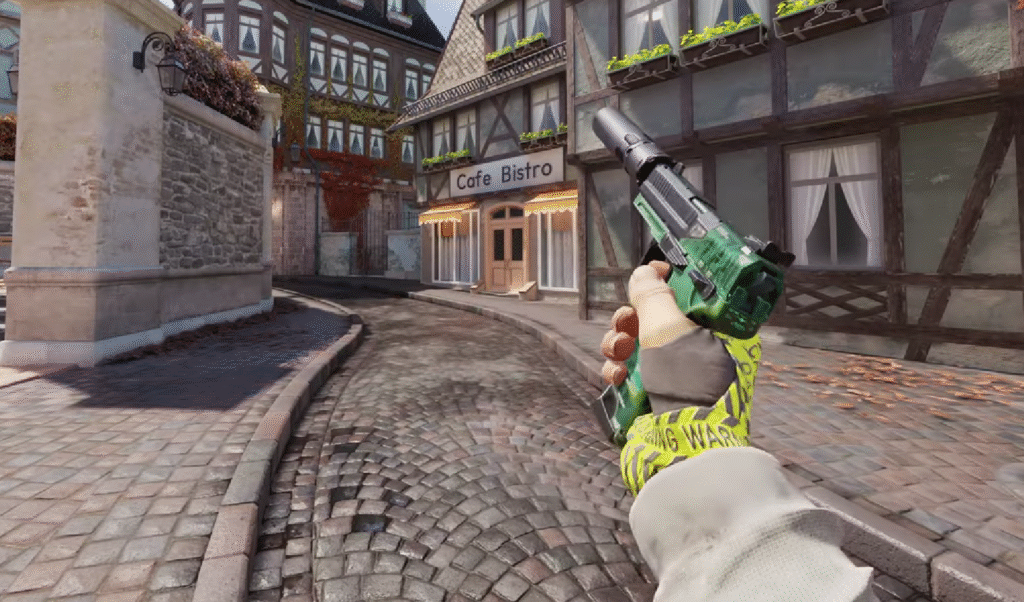
The USP-S is generally the favorite for high-level players.
- The Silencer: It suppresses the sound and, more importantly, hides muzzle flash and bullet tracers. This is massive for spamming through smokes on maps like Nuke or Ancient.
- Accuracy: It has superior long-range accuracy. If you are holding long angles on Dust 2, the USP-S is unmatched for tapping heads.
- Stealth: It allows for sneaky flank plays where the enemy might take a second longer to realize where they are being shot from.
P2000 Advantages
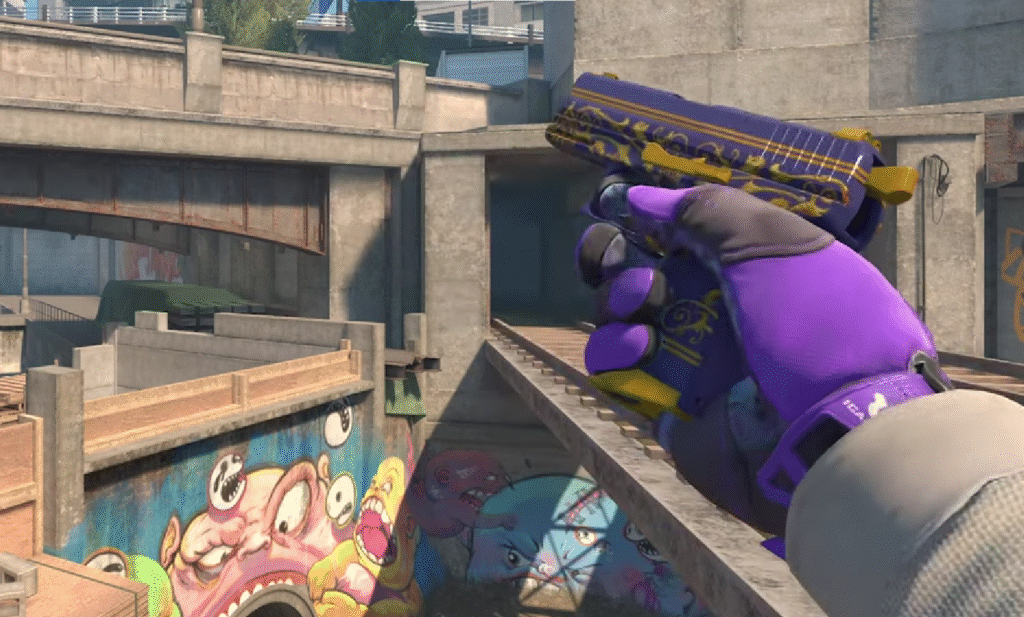
The P2000 is often underrated but serves a specific purpose.
- Ammo Count: It holds 13 rounds in the clip and has 52 in reserve (compared to the USP-S’s 12/24). This makes it much more forgiving if you miss shots.
- Running Accuracy: It feels slightly better when running and gunning, which can be useful when rushing or stopping a fast push.
- Spam Potential: The extra reserve ammo lets you spam walls and smokes without fear of running dry.
Verdict
If you are a “Rotator” who takes long-range duels and values precision, stick with the USP-S. If you are an “Anchor” holding down a bomb site against five rushing Terrorists (like on the B-site of Inferno), the extra ammo of the P2000 might save your life.
5. Can You Equip Both the USP-S and P2000?
Technically, yes. The new loadout system allows you to put the P2000 in the starting slot and the USP-S in a secondary slot (or vice versa).
The Loadout Limitation
While you can do this, it is generally considered a waste of a slot. Remember, you only have 5 pistol slots. Occupying two of them with starting pistols limits your utility.
Opportunity Cost
By carrying both, you might have to sacrifice a high-impact pistol. It is almost always better to equip a Five-SeveN for close-range stopping power, or a Desert Eagle for eco-round snipes. Even the Dual Berettas have found a strong meta place in CS2 for stopping rushes. Don’t waste a slot on a backup starter pistol.
6. How to Apply Skins and Stickers to Your USP-S
If you have some flashy skins, you want to make sure you are showing them off. The default USP-S is classic, but maybe you have a Kill Confirmed or a Cortex you want to use.
Customization Menu
In your Inventory (or Loadout screen), right-click the USP-S. Select “Replace for CT” or simply drag the specific skin variation into the slot.
Equipping Finishes
It is possible to own multiple USP-S skins. Ensure the specific “finish” you want is the one in the loadout slot. If you are looking to expand your collection, you can check out guides on CS2 skins to invest in, or look for the best cheap CS2 skins if you are on a budget. Don’t forget to check the float value if you are trading; a cleaner look makes a big difference in-game.
Frequently Asked Questions (FAQs)
Does removing the silencer increase damage in CS2?
No, removing the silencer on the USP-S actually makes the weapon worse. It increases recoil and spread while making the gun louder. There is almost no tactical advantage to taking it off.
Can I change my starting pistol during the warmup period?
If the match has not officially started, you can disconnect, change your loadout in the main menu, and reconnect. However, once the pistol round is live, your loadout is locked for the duration of the map.
What happens if I don’t equip a starting pistol at all?
If you somehow leave the first pistol slot empty (which the game tries to prevent), you will spawn with the default knife and no pistol. You would have to buy a pistol immediately. Always ensure that first slot is filled!
Getting your loadout right is the first step to climbing the CS2 Ranks. Now that you have your USP-S equipped, jump into a server, aim for the head, and enjoy the satisfaction of those crisp, silenced one-taps.