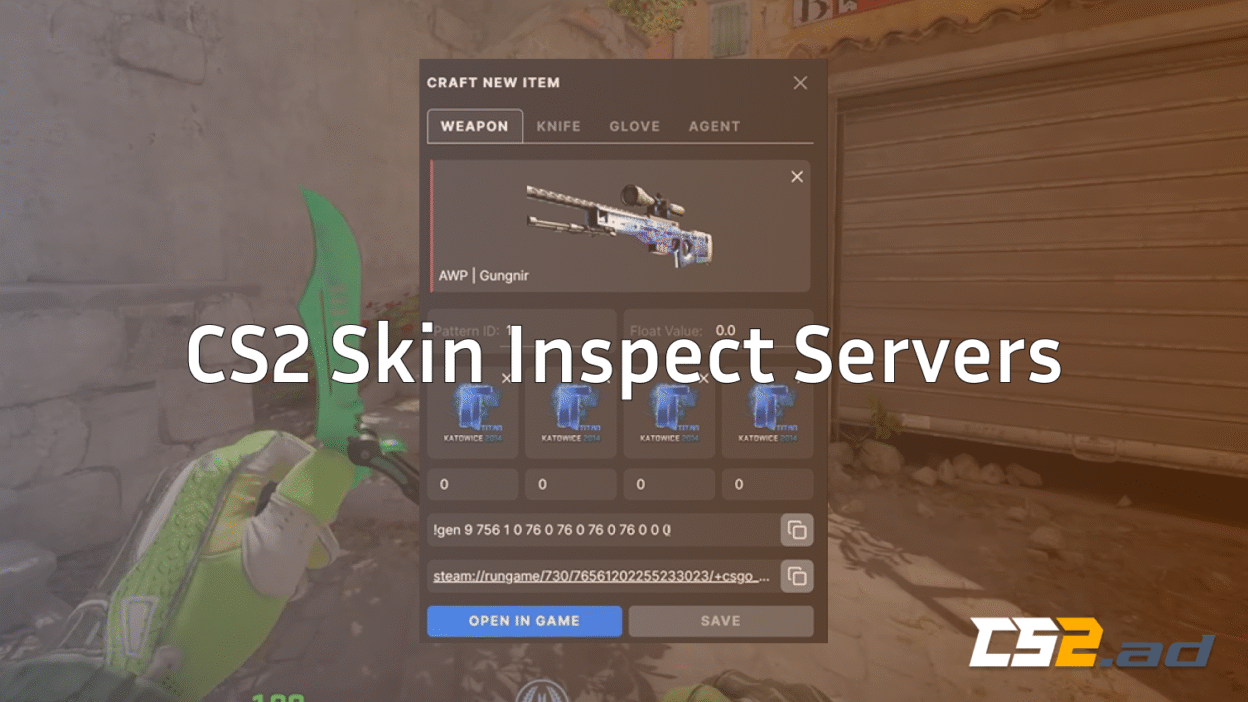
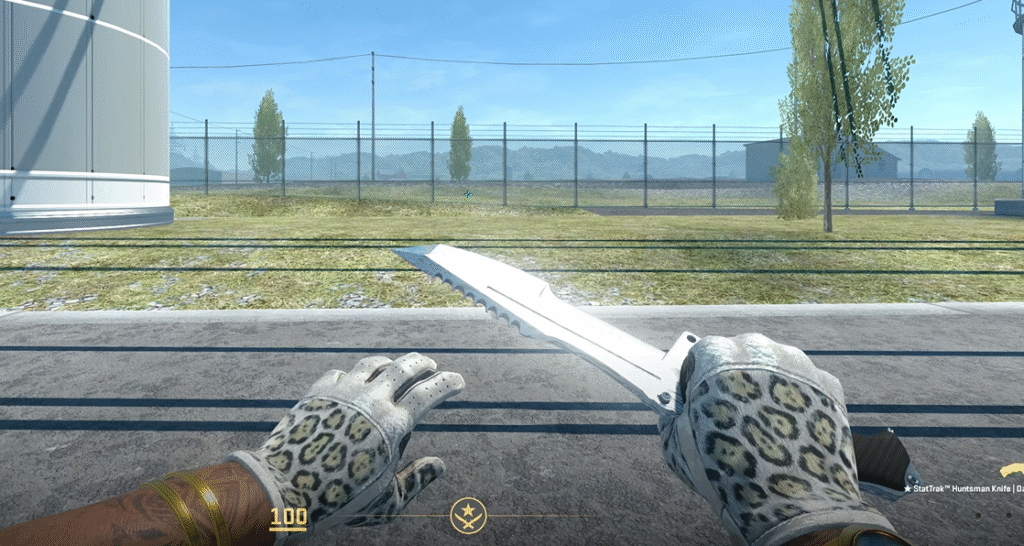
If you love browsing skins, hunting rare floats, or checking patterns before buying, a CS2 Skin Inspect Server is a must-have. These servers let you spawn, test, inspect, and screenshot any skin in perfect lighting—without needing to own it.
This guide breaks everything down in the simplest, gamer-friendly way possible and improves upon by adding real commands, practical examples, pro tips, and troubleshooting.
What Is a CS2 Skin Inspect Server?
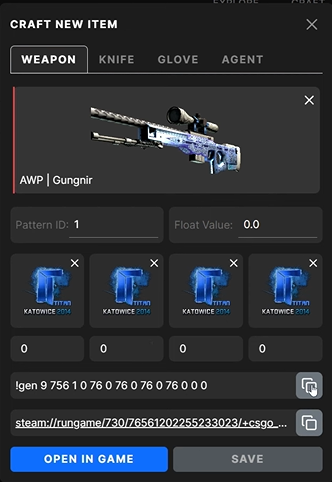
A CS2 Skin Inspect Server (also called a CS2 inspect server or skin test server) is a community or local server that lets you:
- Load any weapon skin using inspect links
- Check pattern IDs & floats
- Test knife animations
- Compare skins side-by-side
- Take clean screenshots
Inspect servers are extremely useful for traders, collectors, and anyone hunting skins from case collections like CS2 Cases With Butterfly Knife.
Why Use a Skin Inspect Server?

Real In-Game Lighting
Actual map lighting reveals scratches, brightness, and wear — not visible in Steam Market previews.
Animation Testing
Perfect for knife collectors comparing animations before opening expensive knife cases in Knife Cases CS2.
Accurate Float Wear
Inspect servers show the exact float and pattern as it will appear in-game.
New to floats? Read the CS2 Float guide.
Viewmodel & FOV Control
Full inspector-level control. Pair this with the How to Change FOV in CS2 guide.
Better Buying Decisions
Preview skins accurately before trading or opening cases.
How CS2 Inspect Servers Work
Every Steam Market skin has a unique inspect URL.
When pasted into the CS2 console:
- The server loads the weapon
- Applies exact float, finish, and pattern
- Lets you inspect it in real lighting
If you want to learn all types of inspect links, patterns, and modifiers, check out the Complete CS2 Inspect Guide.
How to Use a CS2 Skin Inspect Server (3 Methods)
1. Join a Public CS2 Inspect Server
Steps:
- Open CS2 → Play
- Select Community Servers
- Search for:
- “skin inspect”
- “skin test”
- “pattern inspect”
- “skin inspect”
If your browser lists no servers, follow the fix in CS2 Community Servers Not Showing Up.
Public servers usually include:
- Skin spawners
- Float viewers
- Rotation stands
- Knife animation areas
2. Create Your Own Local Inspect Server
This is the best method for consistent lighting and screenshots.
Step 1 – Enable Console
If your console isn’t opening, see How to Change Crosshair in CS2 (includes console enabling steps).
Step 2 – Start a Local Map
map de_mirage
Step 3 – Enable Cheats
sv_cheats 1
Step 4 – Give Weapons
give weapon_awp
give weapon_ak47
give weapon_knife_karambit
For a full list, use the CS2 Give Weapon Command Guide.
3. Use a Workshop Inspection Map
Workshop maps offer:
- Consistent lighting
- Setup areas
- Dedicated skin stands
Load a workbench map:
workshop_workbench
If you want to play custom maps with friends, check out How to Play Workshop Maps With Friends CS2.
How to Inspect a Skin Using an Inspect Link
- Open a Steam Market skin
- Click Inspect in Game
- Copy the URL
- Paste in CS2 console:
item_inspect “YOUR_LINK_HERE”
To master all inspect link parameters, refer to the CS2 Inspect Link guide.
Best Search Terms for Inspect Servers
| Search Term | Purpose |
| skin inspect | General preview |
| skin test | Knife & glove testing |
| float inspect | For rare float checking |
| pattern inspect | For Blue Gems |
If you’re hunting Case Hardened Blue Gems, check Karambit Blue Gem.
Useful Commands for Skin Inspecting
Weapon Spawn
give weapon_m4a1_silencer
Infinite Ammo
sv_infinite_ammo 2
Fullbright Lighting
r_fullbright 1
Change FOV
viewmodel_fov 68
(Full guide: CS2 Viewmodel Guide)
Slow Motion
host_timescale 0.5
Hide HUD for Screenshots
cl_drawhud 0
(Related: CS2 Hide HUD)
How to Take Professional Skin Screenshots
1. Hide HUD
cl_drawhud 0
2. Third-Person
thirdperson
3. Camera Distance
cam_idealdist 100
4. Freeze Time
sv_timestop 1
5. Best Maps for Screenshots
Mirage, Dust 2, Inferno
Use related guides:
Who Should Use Inspect Servers?
Skin Traders
Also useful: Most Expensive CS2 Skins and CS2 Trade Up Calculator.
Screenshot Creators
Perfect for portfolio-level shots.
Case Openers
Especially when exploring:
New Players
Recommended reading: CS2 Beginner Guide
Common Issues & Fixes
Skin Not Loading
Enable cheats: sv_cheats 1
Broken Inspect Link
Make sure link is in quotes.
Community Servers Missing
See CS2 Community Servers Not Showing Up
Game Freezing
Use CS2 Freezing Fix
Low FPS
Check performance with Show FPS CS2.
Frequently Asked Questions (FAQs)
1. What is a CS2 Skin Inspect Server?
A CS2 Skin Inspect Server is a private or community server where you can load, test, and preview skins with any wear, sticker placement, pattern index, or float value without owning the item. It’s mainly used by traders, collectors, and content creators.
2. Are CS2 inspect servers safe to use?
Yes — as long as you use trusted workshop maps, approved community servers, or well-known developers. Avoid random executables or paid “inspect tools,” as these may contain malware or phishing attempts.
3. Can I get banned for using an inspect server?
No. Inspect servers do not modify game files or affect VAC. They simply load skins in a private space. However, avoid third-party cheat injectors or anything that modifies the game.
4. Why is my inspect code not working?
Common reasons include:
- Server not updated after a new CS2 patch
- Incorrect or expired inspect link
- Wrong map name or workshop file missing
- Conflict caused by custom launch options
Restarting CS2 and reloading the workshop map often fixes it.
5. What maps work best for inspecting skins in CS2?
Maps with clean lighting and neutral backgrounds give the most realistic results. Many players use maps featured in CS2 Custom Maps because they offer better lighting, float preview features, and built-in inspect panels.
Conclusion
A CS2 Skin Inspect Server is the best way to preview, test, and compare skins before buying or trading. Whether you join public inspect servers, load a workshop inspection map, or create your own local server, you’ll get accurate lighting, animations, and float representation.