Chromebooks are everywhere—cheap, fast, and great for school or work. But if you’re a gamer, the big question is:
Can you get Steam on a Chromebook, and does it actually work for games like CS2?
Short answer: yes… but with conditions.
In this guide, we’ll break down:
- Whether Chromebooks can run Steam
- How Steam works on ChromeOS
- Which Chromebooks are supported
- Realistic performance expectations for Steam and CS2
- Best alternatives if your Chromebook isn’t compatible
Can You Get Steam on a Chromebook?
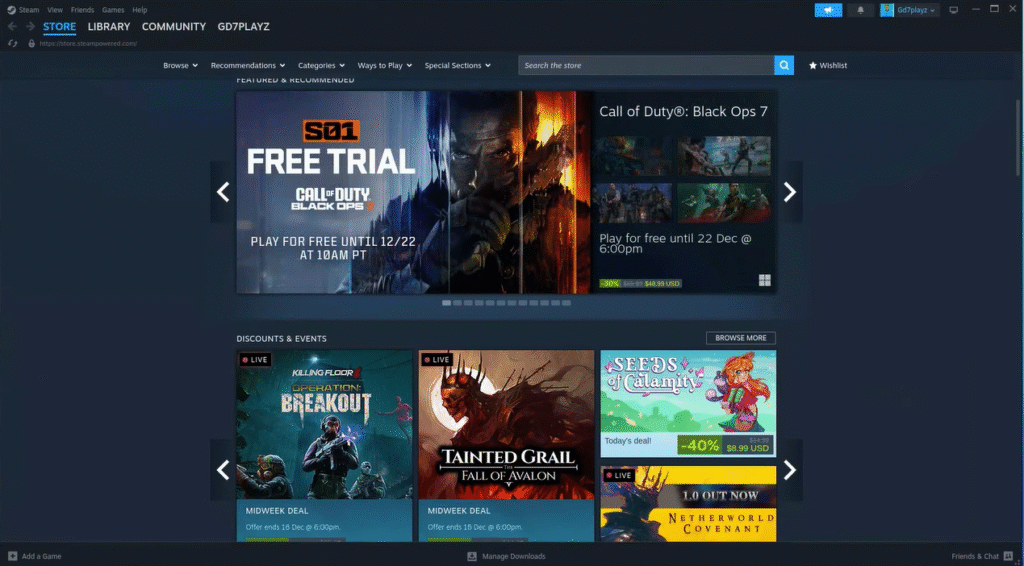
Yes, you can get Steam on a Chromebook, but not on all models.
Steam support on ChromeOS depends on:
- Your Chromebook’s CPU (Intel or AMD only)
- ChromeOS version
- Whether Linux or Steam Beta is supported
There are three main ways Steam works on Chromebook today.
How Does Steam Work on Chromebook? (3 Methods)
1. Steam for Chromebook (Official Method – Best Option)
Google and Valve now support an official Steam for Chromebook beta.
Requirements:
- Intel Core i3 / i5 or AMD Ryzen CPU
- 8GB RAM (minimum)
- ChromeOS 108+
- At least 128GB storage
Pros
- Native Steam client
- Best performance
- Automatic updates
- Controller support
Cons
- Limited Chromebook models
- Not available on ARM CPUs
If your device supports this, use it—no question.
2. Steam via Linux (Crostini)
If your Chromebook supports Linux, you can install Steam manually.
How it works:
- Enable Linux in ChromeOS
- Install Steam inside the Linux container
- Run games through Proton
Pros
- Works on more devices
- Access to your full Steam library
Cons
- Lower FPS
- Setup is more technical
- Not ideal for competitive shooters
This is the method most guides skip details on—but for casual Steam games, it’s solid.
3. Cloud Gaming (Steam Without Installing It)
If your Chromebook can’t run Steam locally, cloud gaming is your best bet.
Options include:
- Steam Remote Play
- Cloud gaming PCs
- Game streaming services
Pros
- Runs on almost any Chromebook
- High graphics settings possible
Cons
- Requires strong internet
- Input latency (important for CS2)
Can Chromebooks Run Steam Games?
Yes, but performance varies heavily.
Here’s a quick breakdown:
| Game Type | Performance |
| Indie / 2D games | Excellent |
| Strategy / Sim games | Good |
| Older AAA titles | Playable |
| Competitive FPS (CS2) | Limited |
| Modern AAA games | Not recommended |
Can You Play CS2 on a Chromebook?
This is where things get real.
CS2 is not officially supported on Chromebooks, but you can still play it with limitations.
What Works:
- Steam via Linux or official Steam Beta
- Community servers
- Casual matches
What Doesn’t Work Well:
- Competitive matchmaking
- High FPS consistency
- Low-latency aim
If you’re serious about CS2, performance matters more than visuals. You’ll notice:
- Input delay
- FPS drops
- Thermal throttling
Before playing, make sure you understand CS2 system requirements and how demanding the Source 2 engine is.
Best Chromebook Specs for Steam Gaming
If you’re buying a Chromebook specifically for Steam:
Minimum Recommended Specs
- Intel Core i5 / Ryzen 5
- 8GB RAM
- 128GB SSD
- Active cooling (fan)
Avoid:
- ARM processors
- 4GB RAM models
- Entry-level Celeron CPUs
Is Steam on Chromebook Worth It for Gamers?
Yes, if:
- You play indie or casual games
- You want Steam access on the go
- You already own a supported Chromebook
No, if:
- You grind CS2 competitively
- You need high FPS and low input lag
- You plan to stream or record gameplay
For serious CS2 players, you’re better off using:
- A PC
- Steam Deck
- Or checking out how CS2 runs on other platforms like Linux or Steam Deck
Steam, CS2 Skins & Trading on Chromebook
Even if gameplay is limited, you can still:
- Manage inventory
- Trade skins
- Open cases
- Use the Steam market
If skins are your thing, check out:
- CS2 knife cases to see which cases are worth opening
- CS2 cases with Butterfly Knives if you’re hunting premium drops
- Most expensive CS2 skins to track high-value items
Can You Play CS2 Custom Maps on Chromebook?
Yes—technically.
If CS2 runs on your Chromebook, you can load workshop content, including:
You’ll find some great practice content in CS2 custom maps, but don’t expect smooth performance on complex maps.
Common Steam on Chromebook Problems (Quick Fixes)
Steam won’t install
- Update ChromeOS
- Enable Linux properly
- Check storage space
Games crash or won’t launch
- Switch Proton version
- Lower resolution
- Disable background apps
Low FPS
- Cap FPS
- Use windowed mode
- Lower graphics settings
Frequently Asked Questions (FAQs)
Does Steam work on Chromebook?
Yes, but only on supported models or through Linux/cloud gaming.
Can Chromebooks run Steam natively?
Only select Intel and AMD Chromebooks support native Steam.
Can you play Steam games on Chromebook smoothly?
Indie and light games run well. Competitive FPS games struggle.
Is CS2 playable on Chromebook?
Playable, yes—but not ideal for ranked or competitive play.
Final Thoughts
Steam on Chromebook is finally real, but it’s still not for everyone.
If you want:
- Casual Steam gaming → Go for it
- Inventory management & trading → Works great
- Competitive CS2 gameplay → Look elsewhere
For CS2-focused players building skill, aim, and consistency, Chromebooks are a temporary solution—not a main setup.