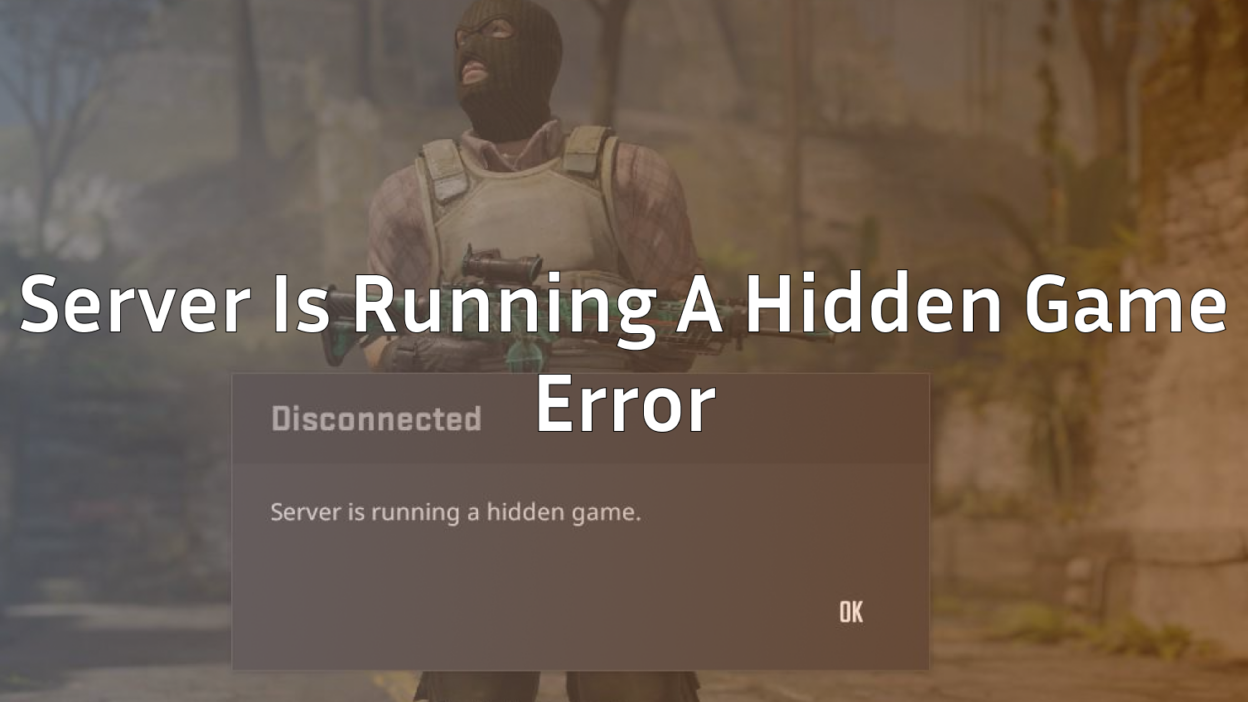
Getting kicked from your CS2 match with a “server is running a hidden game” error is frustrating. You were ready to dominate, and now you’re staring at a confusing message wondering if you’re about to catch a ban.
Don’t worry you won’t. This error has been plaguing CS2 players since Premier Season 4 launched, especially when queuing for newer maps like Warden. The good news? The fix takes less than 30 seconds.
In this guide, we’ll explain exactly what causes this error, how to fix it instantly, and what you can do to prevent it from happening again.
What Does “Server Is Running A Hidden Game” Mean?
This error message appears when the CS2 matchmaking server fails to properly initialize your game session. Essentially, the server thinks there’s already an active game running that you can’t see or access.
Common triggers include:
- Queuing for new or recently updated maps (Warden, Thera, etc.)
- Server-side matchmaking glitches during peak hours
- Lobby synchronization issues when playing with friends
- Attempting to reconnect after a disconnect
When this happens, you’ll get kicked back to the main menu. You might see a “Reconnect” button, but clicking it won’t work, you’ll be stuck in an endless reconnect loop.
How to Fix “Server Is Running A Hidden Game” in CS2
The fix is simple: restart your game completely.
Step by Step Fix:
- Close CS2 entirely – Don’t just disconnect, fully exit the game.
- Wait 10-15 seconds – Give the servers time to clear your session.
- Relaunch CS2 – Open the game fresh from Steam.
- Queue again – You should be able to matchmake normally.
That’s it. When you restart, the broken lobby is completely cleared from Valve’s servers. You won’t see an option to reconnect or abandon because the match never actually started.
Will I Get Banned for This Error?
No. This is a server sided issue, not something you caused. Since the match never properly began, there’s no abandonment penalty.
You won’t lose:
- Premier rating points
- Your trust factor
- Any competitive standing
Valve’s system recognizes when a match fails to initialize. You’re completely safe to queue again immediately after restarting.
How to Prevent This Error
While you can’t fully prevent server-side issues, these tips can reduce your chances of encountering this bug:
| Tip | Why It Helps |
|---|---|
| Verify game files | Corrupted files can cause connection issues. Go to Steam → CS2 → Properties → Installed Files → Verify. |
| Avoid peak hours | Servers are most stable during off-peak times (early morning, late night). |
| Update your network drivers | Outdated drivers can cause handshake failures with Valve servers. |
| Use a wired connection | WiFi packet loss can trigger lobby sync errors. |
| Restart Steam before playing | Clears any cached session data that might conflict. |
If you’re consistently getting this error, it might also be worth checking your CS2 launch options to ensure nothing is interfering with your connection.
Does This Error Happen on All Maps?
This error has been reported across all game modes, but it’s most common on newer maps. Players on Reddit have specifically mentioned encountering it when queuing for:
If you’re consistently hitting this error on a specific map, try queuing for a different one temporarily until Valve patches the issue. Check out our complete CS2 maps guide to see all available maps.
What If Restarting Doesn’t Work?
In rare cases, the error might persist. If restarting doesn’t fix it:
- Restart Steam completely – Exit Steam from the system tray and relaunch it.
- Clear Steam download cache – Steam → Settings → Downloads → Clear Download Cache.
- Check CS2 server status – Sometimes Valve’s servers are down. Check Steam Status or the r/GlobalOffensive subreddit for reports.
- Flush your DNS – Open Command Prompt as admin and run:
ipconfig /flushdns - Wait 5-10 minutes – In some cases, Valve’s servers need time to fully clear your session.
Conclusion
The “server is running a hidden game” error in CS2 is annoying, but harmless. Just restart your game, and you’ll be back in the action within seconds. No bans, no rating loss, no lasting issues.
If you’re still having trouble connecting to matches, make sure your game files are verified and your network is stable. And if you’re looking to warm up while waiting for Valve to fix their servers, check out some of the best CS2 aim training maps to sharpen your skills.
Now get back in there and frag out.